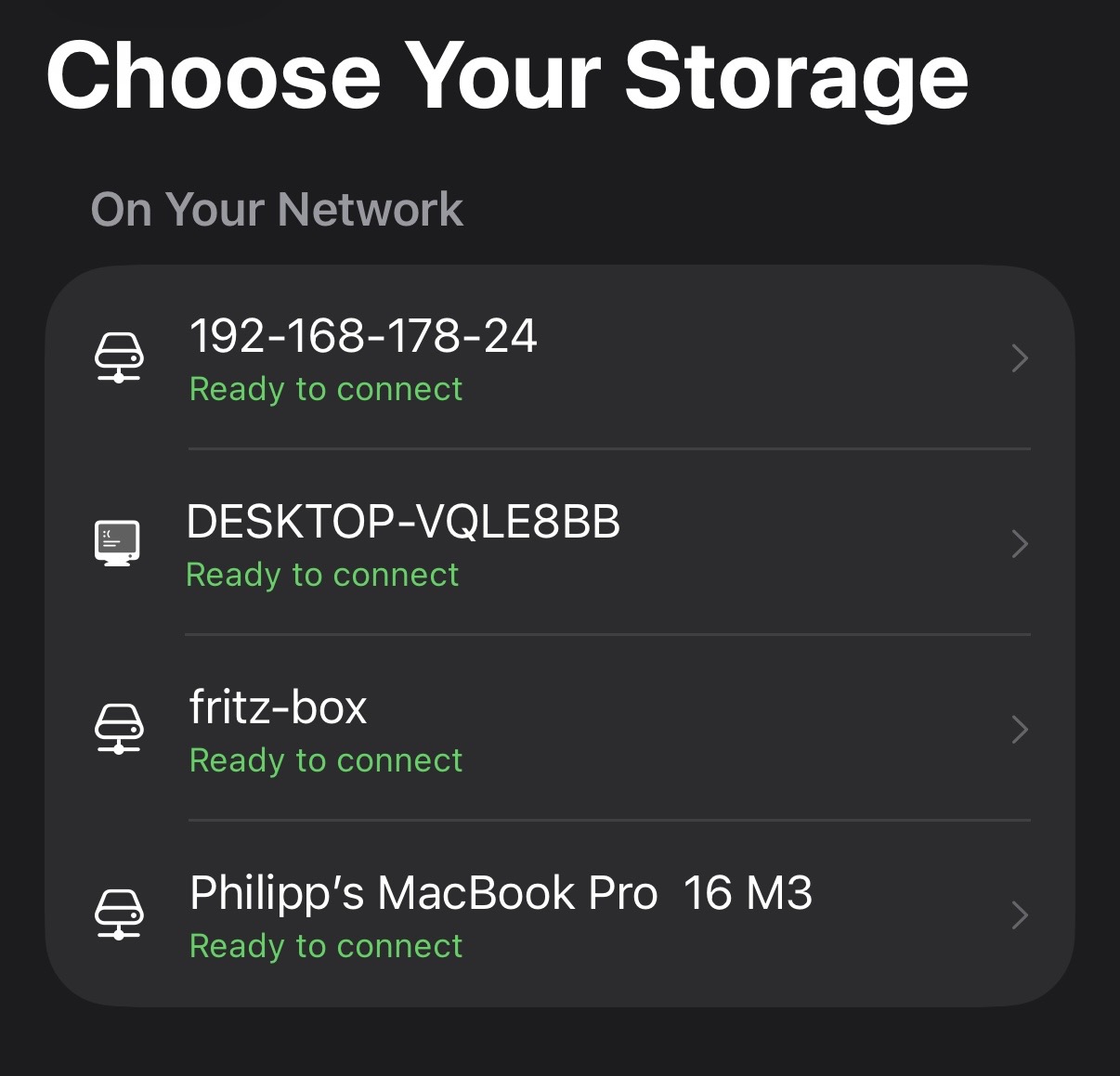
No typing paths, no server setup. Pixtore finds your storage on the network and keeps working in the background.
1
Pick your storage
Bonjour and WS‑Discovery find your NAS as well as a plain Windows PC. A short wizard: address → sign in → folder.
2
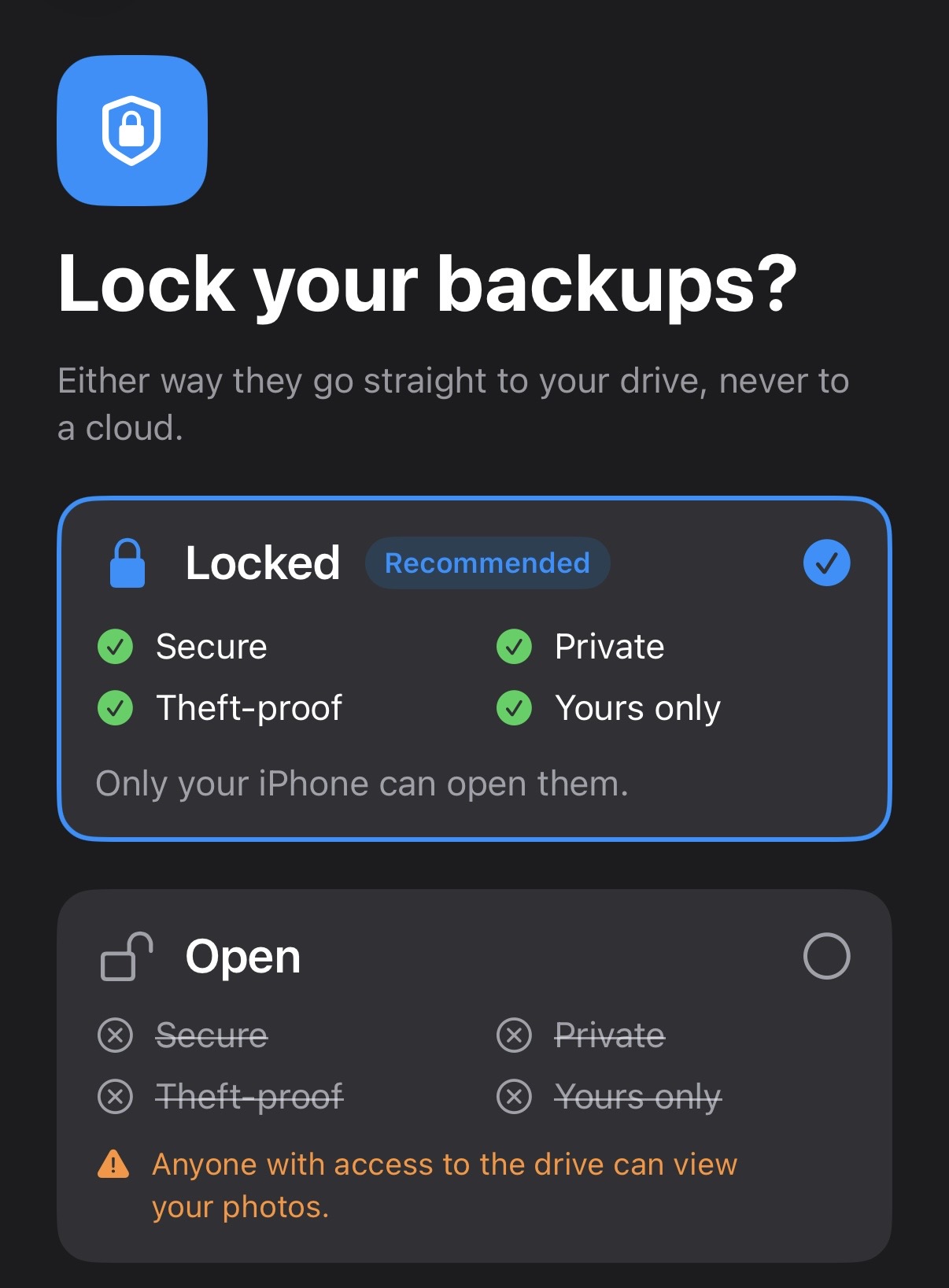
Choose a mode
Plain folders any computer can read, or a locked archive with the key behind Face ID.
3
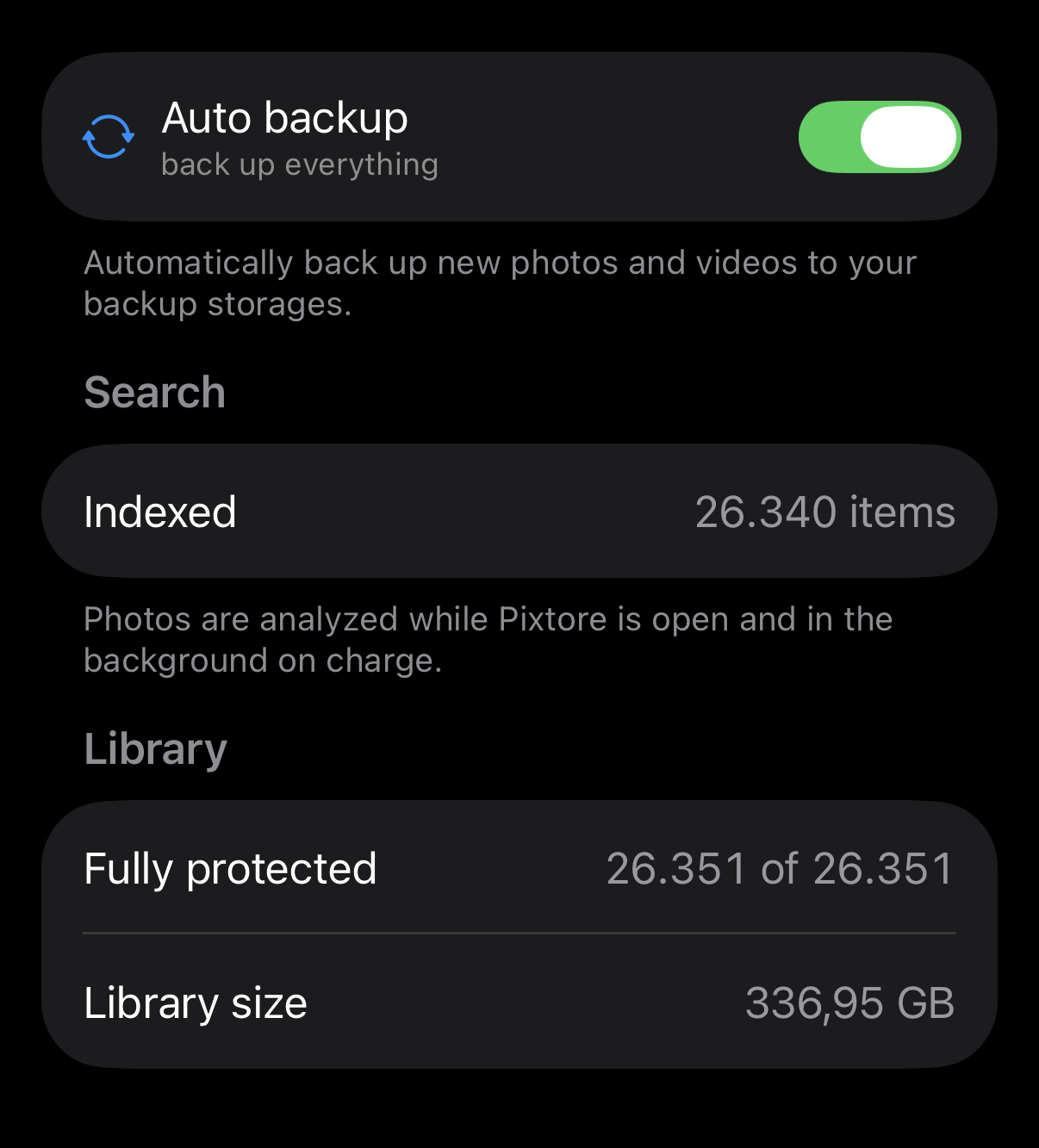
Let it run
New shots upload on their own — into the folder you chose, on your own drive.
Backup
How Pixtore backs up your photos
Two storages at once
A NAS and a computer, each with its own queue. If one goes down, the other keeps going.
synology-home1,240 / 1,240
MacBookpaused · offline
⚡
Speed Up Backup
Turn it on while your iPhone charges and everything that piled up during the day uploads at full speed.
Resumes where it stopped
Wi‑Fi dropped halfway through a 3 GB video? It picks up from the same byte, not from scratch.
SHA‑256 verified
Every uploaded file is checked against the original. A backup either matches — or you’ll know.
Honest progress
The app always tells you what the queue is doing and why it’s waiting — no endless spinner.
Phone storage
Keep every photo. Stop running out of space.
Back up, then “Remove from device” — the photo leaves your phone but keeps its place in the timeline. Offloaded and local shots sit together by date; thumbnails load as you scroll. One tap brings a file back.
on iPhoneon storage — visible in the timeline, takes no space
Home storage500 GB · full library
iPhone 128 GB9 GB used
A KEY PER FILE · UNLOCKED WITH FACE ID
Encryption
If the drive walks away, your photos don’t
Each file sealed with its own key
The master key is tied to your iCloud account and never stored on the drive
Key access is protected by Face ID
Rotate the master key without re-uploading your library
SMB3 connection is signed and encrypted
Don’t need encryption? Open mode writes plain photo folders to the drive — readable from any computer, no Pixtore required.
Storage
Works with what you already own
Any device with network file sharing — you choose the destination. Pixtore ships its own SMB3 client, no third-party libraries.
fritz-boxready to connect
Router with a drive
A USB drive plugged into your router with SMB enabled
DESKTOP-VQLE8BBready to connect
Windows
A shared folder on your home PC, discovered via WS‑Discovery
Your photos belong to you. No monthly fee for storage you already own, and no stranger — or somebody’s next AI model — anywhere near your library.
Stop paying for gigabytes
The disk is already yours and already paid for. No monthly bill, no plan to outgrow.
Native to iOS
SwiftUI and Apple system frameworks only, zero third-party libraries: lighter app, smaller attack surface.
A readable archive
In open mode the drive holds ordinary photo and video folders. Browse them from any computer without Pixtore.
No lock-in
Leave Pixtore whenever you like — your archive stays on your drive, intact.
Move to a new iPhone
The app scans your storage, finds the whole archive — encrypted included — and shows it in the gallery.
Nobody else gets a look
Transfers run over your local network straight to your drive — nothing passes through us. No one to scan them, open them, or train a model on them.
Our promises
What stays true, whatever we build next
Pixtore is local-first, not anti-cloud. The app runs entirely inside your home and needs nothing from us. An off-site copy and access to your library while travelling are coming later, as optional services you switch on yourself. Neither of them changes any of this:
Backing up to your own drive is free and stays free. The files are on your disk — there is nothing for us to charge for.
Home works without an account. No sign-up, no server of ours in the path.
Encryption happens on your iPhone and the key never leaves it. Whatever we host one day, we can’t read it.
Every cloud feature is opt-in and priced on its own. Nothing that works today moves behind a paywall.
No dates to announce yet — when there is something to try, you’ll find it here.
Frequently asked questions
What do I need to get started?A drive of your own on your home network. Simplest is a USB drive plugged into your router — a FRITZ!Box, for example: it runs around the clock anyway, so no computer has to stay on. A NAS, a Mac or a Windows PC works just as well.What kind of drive do I need?Any drive with room for your library. An ordinary hard drive is fine, and an SSD works just as well — the backup runs over your home network, so it won’t be noticeably faster either way. Capacity is what matters.Does my computer have to be on for backups?If your storage is a Mac or a Windows PC, yes — it has to be awake while the backup runs. That’s what Speed Up Backup is for: your iPhone waits until it’s charging, then clears the backlog. A NAS, or a router with a USB drive, is always on anyway, so nothing has to wait.What if my iPhone is lost or breaks?Your archive is at home. On a new iPhone, Pixtore scans the storage and shows your whole library in the gallery. An encrypted archive unlocks once you sign in to your iCloud account and confirm with Face ID.Where do my files go, and who can see them?Only to your drive, over your local network: today nothing you back up passes through a server of ours. Pixtore has no accounts and no content analytics, and photo analysis for search runs entirely on your iPhone. If you ever switch on one of the optional cloud services we’re planning, files in Locked mode are sealed on your iPhone before they leave it — we still can’t read them.How much does it cost?Backup to your own storage, encryption and the gallery are free and will stay free: the files live on your drive, so there’s nothing to charge for. Later we’ll add optional paid services that need our infrastructure — reaching your library away from home, or an extra copy in the cloud alongside the one at home. You turn those on yourself; nothing that works today moves behind a paywall.Can I back up when I’m away from home?Pixtore backs up over your network, so your storage has to be reachable from your iPhone. If you run a VPN into your home network, backups keep running while you’re away — you’ll see it in the queue. A remote-access service of our own, with no VPN to set up, is planned as an optional extra.
You already own the storage
Pixtore is available on the App Store. Install it, pick your storage and let your iPhone back itself up — at home, for free.